
Find anything on AliExpress from a picture
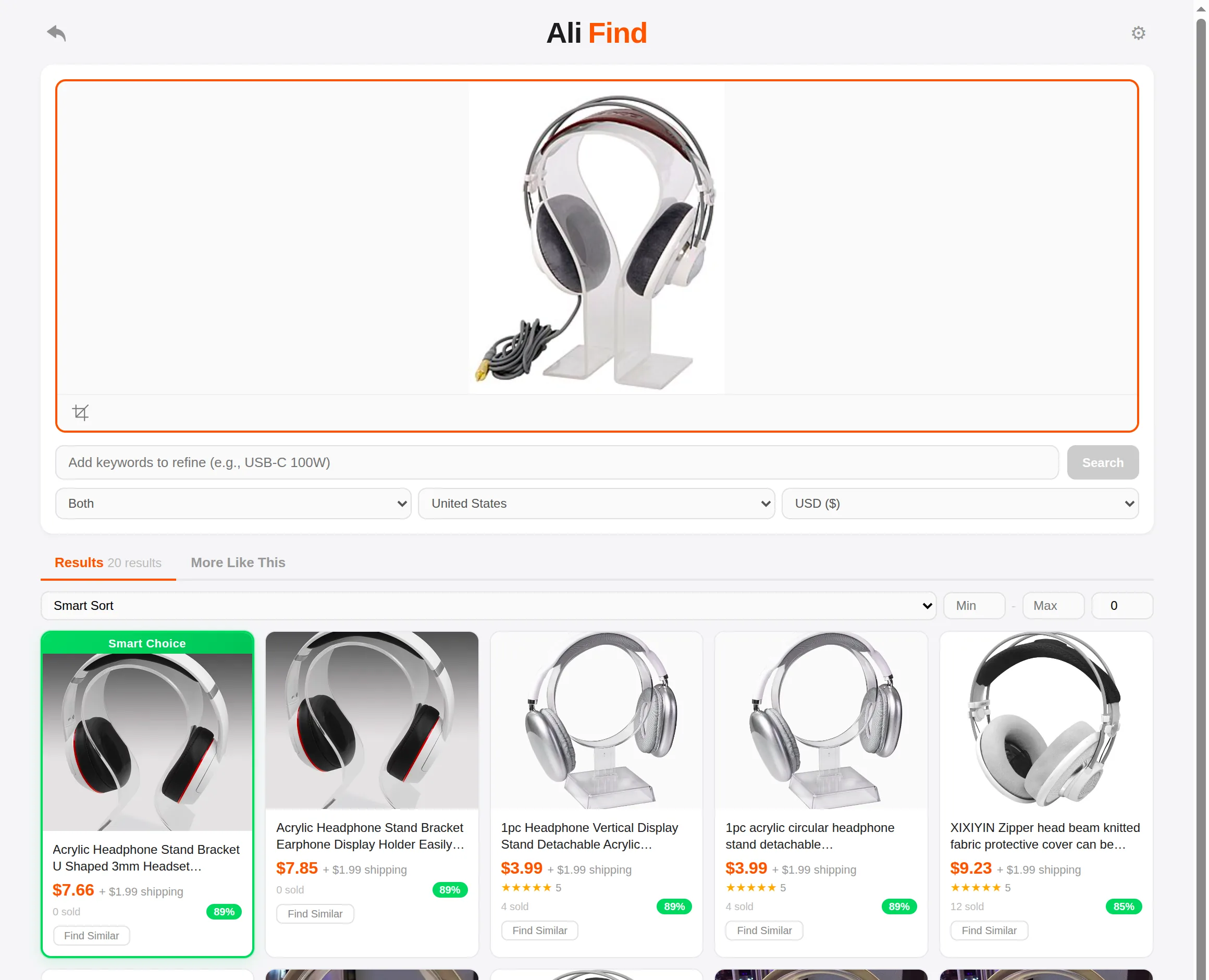
Right-click any image on the web — or upload, paste, and screenshot-crop. AliFind searches AliExpress, ranks the results by visual similarity, and shows the price shipped to your country.
How it works
Grab any image
Right-click a photo on any site and choose “AliFind — Search this image”. Or upload a file, paste from your clipboard, and crop to the exact product.
We match it visually
AliFind searches AliExpress for exact and similar items, then re-ranks every result by how closely it actually matches your picture — using AI image embeddings, not just AliExpress's guess.
See the real landed price
Every result shows the item price plus shipping to the country you choose — and listings that can't ship there are filtered out before you ever see them.
Built for people who source products
Landed cost, per country
Dropshipping to the UK, Australia, or Croatia? Set the destination once — every price you compare already includes shipping there.
Supplier signals on every card
Order volume, seller rating, and a visual-match score side by side, so you pick a supplier — not just a photo.
Smart Choice
One result is highlighted as the best balance of similarity, rating, order history, and total price. Start there.
Find Similar, endlessly
Every result has a “Find Similar” button — follow the chain to alternative suppliers and cheaper versions of the same item.